If you’ve ever wondered how to navigate the world of forex trading, this article is for you. We’ll walk you through the process of using forex trading platforms and tools, providing you with the necessary knowledge and skills to make informed decisions in the exciting and ever-changing world of currency exchange. Whether you’re a beginner looking to dip your toes into the market or an experienced trader seeking new insights, this guide will equip you with the tools you need to thrive in the forex trading arena. So, let’s get started on your journey to mastering forex trading platforms and tools.
Understanding Forex Trading Platforms
What are Forex trading platforms?
Forex trading platforms are software programs that allow individuals to trade currencies in the global foreign exchange market. These platforms provide traders with access to real-time market data, trading charts, technical indicators, and other tools necessary to execute trades and monitor their positions. Forex trading platforms act as intermediaries between traders and the market, facilitating the buying and selling of currency pairs.
Different types of Forex trading platforms
There are various types of Forex trading platforms available to traders. The two main categories are web-based platforms and downloadable platforms.
Web-based platforms, also known as online platforms, are accessed through a web browser without the need for any software installation. These platforms are convenient as they can be accessed from any device with an internet connection. Popular web-based platforms include MetaTrader WebTrader, cTrader Web, and TradingView.
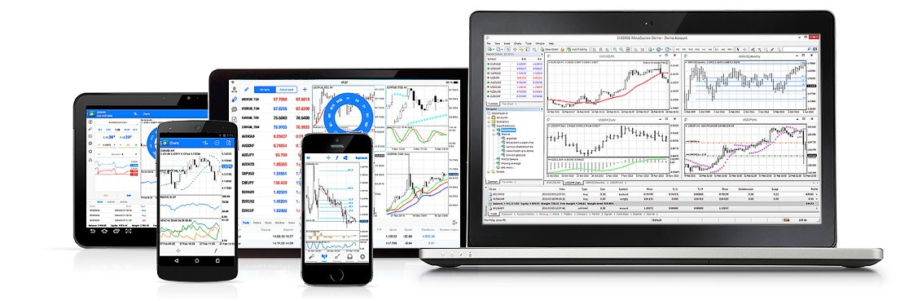
Downloadable platforms require traders to download and install the software on their computers or mobile devices. These platforms offer advanced features and customization options. Examples of downloadable platforms include MetaTrader 4 (MT4), MetaTrader 5 (MT5), and cTrader.
Choosing the right Forex trading platform
Choosing the right Forex trading platform is crucial for a successful trading experience. Consider the following factors when selecting a platform:
-
Ease of use: Look for a platform that has a user-friendly interface and intuitive navigation. This will allow you to quickly adapt to the platform and focus on trading rather than struggling with complicated features.
-
Charting and analysis tools: Ensure that the platform provides a wide range of charting tools and technical indicators. These tools are essential for conducting market analysis and identifying trading opportunities.
-
Execution speed and reliability: Opt for a platform that offers fast and reliable trade execution. Delayed or unreliable execution can result in missed trading opportunities or losses.
-
Compatibility: Consider the compatibility of the platform with your preferred device and operating system. Check if the platform is available for desktop, mobile, or web-based trading.
-
Broker integration: Verify if the platform is compatible with reputable Forex brokers. Seamless integration with a trusted broker will ensure a smooth trading experience.
Setting Up a Forex Trading Platform
Choosing a Forex broker
Before setting up a Forex trading platform, you need to choose a reliable Forex broker. A broker acts as a middleman, facilitating your trades in the Forex market. Consider the following factors when selecting a broker:
-
Regulation: Ensure that the broker is regulated by a reputable financial authority. This ensures the safety of your funds and protects you from fraudulent activities.
-
Trading conditions: Evaluate the broker’s trading conditions, such as spreads, commissions, leverage, and minimum deposit requirements. Look for competitive conditions that align with your trading strategy.
-
Asset selection: Check if the broker offers a wide range of currency pairs and other financial instruments that you wish to trade.
-
Customer support: Verify if the broker offers responsive customer support to assist you in case of any issues or queries.
-
Reputation: Research the broker’s reputation by reading reviews and testimonials from other traders. Look for a broker with a positive track record and good standing in the industry.
Opening a trading account
Once you have chosen a Forex broker, you need to open a trading account. The account opening process varies among brokers but generally involves the following steps:
-
Complete the registration form: Provide your personal information, including your name, email address, and contact details.
-
Verify your identity: Submit the required identification documents, such as a passport or driver’s license, to prove your identity. This is a standard procedure to comply with anti-money laundering regulations.
-
Fund your account: Deposit the required amount of funds into your trading account. Most brokers offer various payment methods, such as bank transfers, credit/debit cards, or electronic wallets.
-
Account activation: After your account has been verified and funded, it will be activated, and you will receive login credentials to access the trading platform.
Downloading and installing the trading platform software
If you have chosen a downloadable Forex trading platform, you will need to download and install the software on your computer or mobile device. Follow these steps:
-
Visit the broker’s website: Go to the broker’s website and navigate to the “Platforms” or “Downloads” section.
-
Select the appropriate platform: Choose the platform that matches your device and operating system. Ensure that it is compatible with your device specifications.
-
Download the software: Click on the download link and follow the prompts to download the installation file. Save the file to your desired location on your device.
-
Install the platform: Locate the downloaded file and double-click on it to initiate the installation process. Follow the on-screen instructions to complete the installation.
-
Launch the platform: Once the installation is complete, launch the trading platform by clicking on the respective icon on your desktop or in your applications folder.

Navigating the Forex Trading Platform
Overview of the platform interface
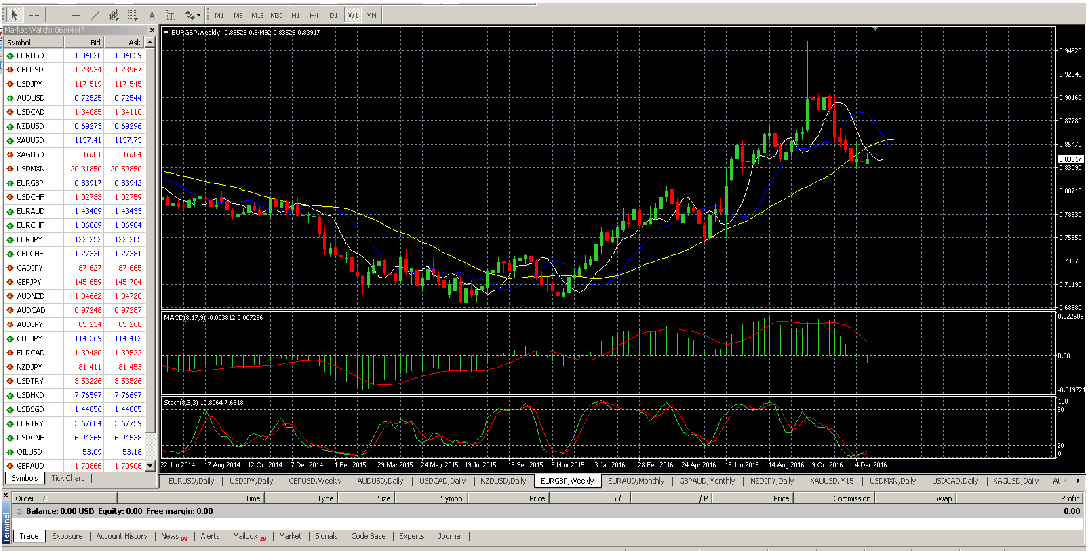
Upon launching the Forex trading platform, you will be presented with the platform interface. The interface may vary depending on the platform you are using, but it generally consists of the following elements:
-
Market watch: This section displays the available currency pairs, their bid and ask prices, and other relevant information.
-
Charting area: The charting area is where you can view and analyze currency price charts. It allows you to apply technical indicators, draw trendlines, and identify trading patterns.
-
Trade execution panel: This panel enables you to execute trades by entering the desired trade size, selecting the order type, and specifying stop loss and take profit levels.
-
Account information: This section provides details about your trading account, including your account balance, equity, and margin usage.
-
Navigation menu: The navigation menu allows you to access different features and sections of the platform, such as account history, trade history, and settings.
Understanding the main features and functions
To effectively navigate the Forex trading platform, familiarize yourself with its main features and functions. Here are some essential features you should understand:
-
Order types: Learn about different order types, such as market orders, limit orders, stop orders, and trailing stop orders. Each order type serves a specific purpose in executing trades.
-
Charting tools: Explore the available charting tools and indicators. These tools help you analyze price trends, identify support and resistance levels, and make informed trading decisions.
-
Trade history: Access your trade history to review past trades, monitor their performance, and identify areas for improvement.
-
Account balance and equity: Understand how to monitor your account balance and equity. Account balance represents the total funds in your account, while equity is the account balance plus any unrealized profits or losses.
-
Margin and leverage: Get acquainted with margin and leverage. Margin allows you to trade with borrowed funds, while leverage amplifies the potential profits and losses of your trades.
Customizing the platform settings
To personalize your Forex trading platform according to your preferences, make use of the available customization options. Here are some settings you may consider adjusting:
-
Chart appearance: Customize the appearance of your charts by changing the color scheme, chart type, and timeframes. Adjusting the chart settings allows you to display multiple indicators and overlays simultaneously.
-
Notifications and alerts: Set up notifications and alerts to receive real-time updates on market events, price movements, and trade execution.
-
Language preference: If the platform supports multiple languages, select your preferred language for a more comfortable trading experience.
-
Keyboard shortcuts: Discover and utilize keyboard shortcuts to navigate the platform more efficiently. Keyboard shortcuts can save time and improve your overall trading workflow.
-
Trading preferences: Explore additional trading preferences, such as minimum trade size, maximum lot size, and default order settings. Customizing these preferences allows you to streamline your trading process.
Using Charting Tools and Indicators
An introduction to Forex charts
Forex charts provide visual representations of currency price movements over time. They are essential tools for technical analysis and help traders identify trends, support and resistance levels, and potential trade setups. Here are some commonly used types of Forex charts:
-
Line charts: Line charts display the closing prices of currency pairs over a specified time period. They connect the closing prices with a simple line, making it easy to identify trends.
-
Bar charts: Bar charts represent price movements using vertical bars. Each bar represents a specified time period and consists of four points: the opening price, closing price, high price, and low price.
-
Candlestick charts: Candlestick charts also represent price movements within a specified time period. Each candlestick consists of a rectangular body and two wicks (upper and lower). The body represents the opening and closing prices, while the wicks indicate the high and low prices.
Types of charting tools and indicators available
Forex trading platforms offer a wide range of charting tools and indicators to enhance your technical analysis. Here are some commonly used tools and indicators:
-
Trend lines: Trend lines are lines drawn on a chart to connect higher swing lows in an uptrend or lower swing highs in a downtrend. They help identify the direction and strength of a trend.
-
Moving averages: Moving averages smooth out price fluctuations and provide a clear picture of the underlying trend. They calculate the average price over a specified period and can be used to generate buy or sell signals.
-
Bollinger Bands: Bollinger Bands consist of a moving average, upper band, and lower band. They help traders identify periods of high volatility and potential trend reversals.
-
Relative Strength Index (RSI): The RSI is a momentum oscillator that measures the speed and change of price movements. It helps identify overbought and oversold conditions in the market.
-
Fibonacci retracements: Fibonacci retracements are horizontal lines drawn on a chart to indicate potential support and resistance levels. These levels are based on mathematical ratios derived from the Fibonacci sequence.
How to analyze and interpret charts
Analyzing and interpreting Forex charts requires a combination of technical analysis skills and market knowledge. Here are some key steps to effectively analyze charts:
-
Identify the trend: Determine the direction of the trend by drawing trend lines or using moving averages. A strong uptrend is characterized by higher swing highs and higher swing lows, while a downtrend consists of lower swing highs and lower swing lows.
-
Look for support and resistance levels: Identify significant price levels where the price has historically reversed or stalled. These levels indicate areas of potential buying or selling pressure.
-
Analyze chart patterns: Study chart patterns, such as triangles, rectangles, and head and shoulders patterns. These patterns provide insights into potential trend continuation or reversal.
-
Apply technical indicators: Utilize the selected technical indicators to generate trading signals. These signals may include overbought or oversold conditions, bullish or bearish divergences, or trend confirmations.
-
Combine multiple timeframes: Analyze the same currency pair on different timeframes to obtain a comprehensive view. Higher timeframes provide a broader picture of the trend, while lower timeframes offer more precise entry and exit points.
Executing Trades on the Forex Platform
Entering market orders
Market orders are used to enter a trade at the current market price. Here’s how to execute a market order on a Forex trading platform:
-
Select the desired currency pair: Choose the currency pair you want to trade from the market watch or the trading panel.
-
Determine the trade size: Specify the trade size or lot size. This represents the quantity of currency you wish to buy or sell.
-
Choose the order type: Select “Market Order” from the order type dropdown menu.
-
Set stop loss and take profit levels: If desired, enter the desired stop loss and take profit levels to manage potential losses and profits.
-
Click the “Buy” or “Sell” button: Confirm your trade details and click the appropriate button to execute the market order.
Placing pending orders
Pending orders allow traders to enter a trade at a specific price level in the future. Here’s how to place a pending order on a Forex trading platform:
-
Choose the desired currency pair: Select the currency pair you want to trade from the market watch or the trading panel.
-
Determine the trade size: Specify the trade size or lot size.
-
Select the order type: Choose the desired pending order type, such as Buy Limit, Sell Limit, Buy Stop, or Sell Stop.
-
Set the entry price: Enter the price level at which you want the pending order to be triggered.
-
Set stop loss and take profit levels: Optionally, enter the desired stop loss and take profit levels to manage potential risks and rewards.
-
Click the “Place Order” button: Confirm your order details and click the button to place the pending order.
Managing and closing trades
Managing and closing trades on a Forex trading platform is essential for risk management and profit-taking. Here are some key actions to consider:
-
Adjusting stop loss and take profit levels: If necessary, modify the stop loss and take profit levels to protect existing profits or limit potential losses.
-
Trailing stops: Use trailing stops to automatically adjust the stop loss level as the price moves in your favor. Trailing stops allow you to secure profits while giving your trades room to breathe.
-
Closing a trade: When you are ready to close a trade, locate the trade in your trade history or open positions table. Click on the close button or right-click on the trade to choose the close option.
-
Partial closes: Some platforms allow you to partially close a trade, meaning you can close only a portion of your position while leaving the rest open.
-
Monitoring open trades: Keep a close eye on your open trades, regularly reviewing their performance and adjusting your trade management strategies accordingly.
Utilizing Trade Management Features
Setting stop loss and take profit levels
Setting stop loss and take profit levels is crucial in managing risk and protecting your capital. Follow these steps to set stop loss and take profit levels on a Forex trading platform:
-
Locate the open trade you want to set stop loss and take profit for.
-
Right-click on the trade or select the trade and look for the “Modify Order” or “Modify Trade” option.
-
Enter the desired stop loss and take profit levels. The stop loss level represents the maximum acceptable loss, while the take profit level indicates the desired profit target.
-
Click the “Modify” or “Apply” button to save the changes.
Note: Stop loss and take profit levels can be adjusted at any time to reflect changing market conditions or trading strategies.
Trailing stops and partial closes
Trailing stops and partial closes are advanced trade management features that can enhance profitability and control risk. Here’s how to utilize these features on a Forex trading platform:
-
Trailing stops: A trailing stop allows you to automatically adjust the stop loss level as the price moves in your favor. To activate a trailing stop, modify the stop loss level and set it as a certain number of pips or as a percentage from the current price.
-
Partial closes: Some platforms offer the ability to partially close a trade. To partially close a trade, locate the open position, select the desired portion to close, and click on the partial close option. This allows you to secure profits while keeping a portion of the trade open for potential further gains.
Using guaranteed stop loss orders
A guaranteed stop loss order ensures that a trade is closed at the specified stop loss level regardless of market gaps or price slippage. This trade management feature provides protection against significant market volatility or unexpected events. To use a guaranteed stop loss order:
-
Ensure that your Forex broker offers guaranteed stop loss orders.
-
Locate the trade you want to apply a guaranteed stop loss order to.
-
Right-click on the trade or select the trade and choose the option to modify the order.
-
Enable the “Guaranteed Stop Loss” option and set the desired stop loss level.
-
Confirm the changes to apply the guaranteed stop loss order.
Note: It’s important to be aware that some brokers may charge additional fees for using guaranteed stop loss orders.

Monitoring and Analyzing Trade Performance
Viewing account balance and trade history
Forex trading platforms provide easy access to your account balance and trade history. Here’s how to view these details on a platform:
-
Locate the account information section, typically displayed on the platform interface.
-
Check your account balance to see the total funds available for trading.
-
Navigate to the trade history section to review past trades. The trade history will provide details such as the trade size, entry price, exit price, time of execution, and profit/loss.
-
Utilize the trade history to evaluate your trading decisions, identify patterns, and make informed adjustments to your trading strategy.
Analyzing trade performance metrics
Analyzing trade performance metrics allows you to gain insights into the profitability and effectiveness of your trading strategies. Consider the following metrics when evaluating your trades:
-
Win rate: The win rate represents the percentage of trades that resulted in a profit. A high win rate indicates successful trades, while a low win rate may require adjustments to your trading approach.
-
Risk-to-reward ratio: The risk-to-reward ratio determines the potential profit compared to the potential loss of a trade. A favorable risk-to-reward ratio is generally above 1:1, meaning the potential profit is higher than the potential loss.
-
Average profit/loss per trade: Calculate the average profit or loss per trade to understand the overall profitability of your trading strategy. This metric helps in identifying areas for improvement or optimization.
-
Maximum drawdown: The maximum drawdown measures the largest loss from a peak to a subsequent trough. It indicates the maximum loss a trader experienced during a specific time period. Monitoring the maximum drawdown helps assess the risk associated with your trading strategy.
Utilizing performance analysis tools
Forex trading platforms often provide performance analysis tools to assist traders in evaluating their trading activities. These tools may include:
-
P&L (Profit and Loss) statement: A P&L statement displays the overall profit or loss generated from your trading activities. It calculates the net profit by subtracting trading losses from trading profits.
-
Trade statistics: Trade statistics provide an overview of your trading activity, including the number of trades executed, win rate, average profit/loss, and the maximum drawdown.
-
Equity curve: An equity curve graphically represents the growth of your trading account over time. It shows the cumulative profits or losses of your trades and helps assess the consistency and effectiveness of your trading strategy.
-
Trade journal: A trade journal is a tool for documenting your trades, including entry and exit points, trade rationale, and performance analysis. Maintaining a trade journal helps identify strengths, weaknesses, and opportunities for improvement.
Managing Risk in Forex Trading
Understanding leverage and margin
Leverage and margin are essential aspects of Forex trading and carry potential risks. Understanding their concepts is crucial for managing risk effectively.
-
Leverage: Leverage allows traders to control larger positions with a smaller initial investment. It magnifies both profits and losses. For example, with a leverage ratio of 1:100, a $1,000 investment allows you to control $100,000 worth of currency.
-
Margin: Margin is the collateral required to open and maintain positions in the market. It is a portion of the total position size that traders need to deposit in their trading account. The margin is calculated based on the leverage and the notional value of the position.
While leverage can increase potential profits, it also exposes traders to higher risks. Proper risk management techniques must be implemented when utilizing leverage to protect capital.
Using risk management tools
Risk management tools help traders control and mitigate potential losses. Here are some commonly used risk management tools:
-
Stop loss orders: Stop loss orders automatically close a trade when it reaches a predetermined price level. They limit potential losses by defining the maximum acceptable loss before exiting a position.
-
Take profit orders: Take profit orders allow traders to automatically close a trade at a predefined profit level. They secure profits by exiting a position once the desired profit target is reached.
-
Trailing stops: Trailing stops automatically adjust the stop loss level as the price moves in a favorable direction. They lock in profits while allowing trades to potentially capture further gains.
-
Position size calculation: Proper position sizing is crucial for managing risk. Use position size calculators or formulas to determine the appropriate trade size based on your account balance, risk tolerance, and stop loss level.
Implementing proper position sizing
Proper position sizing ensures that trades are appropriately aligned with risk management goals. Consider the following factors when determining position size:
-
Risk tolerance: Assess your risk tolerance to determine the maximum amount of capital you are willing to risk on a trade. This helps in defining the maximum loss you can accept.
-
Risk-reward ratio: Consider the risk-reward ratio of a trade. Ensure that the potential reward justifies the potential loss. A favorable risk-reward ratio helps maintain a consistent and profitable trading approach.
-
Account balance: Calculate the ideal position size based on your account balance and risk tolerance. Avoid risking a significant portion of your account on a single trade to protect against substantial losses.
-
Volatility and market conditions: Adjust your position size based on the current market conditions and the volatility of the currency pair. Increased volatility may require smaller position sizes to manage potential risks.
Proper position sizing helps ensure that a string of losses does not deplete the trading account and allows for sustainable trading over the long term.

Using Automated Trading Tools and Expert Advisors
What are automated trading tools?
Automated trading tools, also known as algorithmic trading or trading robots, execute trades automatically based on pre-programmed trading strategies. These tools analyze market conditions, generate signals, and execute trades without the need for manual intervention. They are designed to eliminate emotional and human errors and provide around-the-clock trading.
Creating and using Expert Advisors
Expert Advisors (EAs) are specific types of automated trading tools developed for use with the MetaTrader platforms (MT4 and MT5). Here’s how to create and use an Expert Advisor:
-
Develop the trading strategy: Define the rules and conditions for trade entry and exit based on your desired trading strategy. This can be done using the built-in MetaEditor or specialized software.
-
Write the algorithm: Using the MQL4 or MQL5 programming language, convert your trading strategy into a programmatic algorithm. The algorithm will contain the entry and exit conditions, money management rules, and any other necessary parameters.
-
Compile the code: Compile the algorithm using the MetaEditor to generate an executable file (ex4 or ex5).
-
Install the Expert Advisor: Open the MetaTrader platform, navigate to the “Navigator” window, and find the “Expert Advisors” section. Right-click and select “Open Data Folder,” then locate the “MQL4” or “MQL5” folder. Copy the compiled file into the “Experts” folder.
-
Activate the Expert Advisor: Restart the MetaTrader platform, go to the “Expert Advisors” section, and find your installed Expert Advisor. Drag and drop it onto the desired chart to activate it.
-
Adjust settings: Customize the settings of the Expert Advisor according to your trading preferences and risk management goals.
Backtesting and optimizing strategies
Before deploying an automated trading strategy, it is important to backtest and optimize it using historical data. This allows you to evaluate the strategy’s performance and make necessary adjustments. Here are the steps for backtesting and optimizing strategies:
-
Select historical data: Choose a suitable time period and currency pair for backtesting. Import the historical data into the trading platform.
-
Set specific parameters: Define the parameters of your trading strategy, such as entry and exit conditions, stop loss and take profit levels, and any other variables.
-
Run the backtest: Start the backtesting process and observe the results. Evaluate the strategy’s performance, including the number of trades, percentage of winning trades, average profit/loss, and maximum drawdown.
-
Optimize the strategy: If necessary, adjust the parameters of the trading strategy to improve its performance. Optimize variables such as indicators, time periods, or risk parameters to find the most favorable settings.
-
Repeat the process: Iterate the backtesting and optimization process until you are satisfied with the results. This helps fine-tune the strategy and validate its effectiveness.
Proper backtesting and optimization increase the chances of developing a robust and profitable automated trading strategy.
Staying Updated and Educated
Following market news and analysis
Staying informed about the latest market news and analysis is crucial for successful Forex trading. Here are some ways to keep up with market updates:
-
Economic calendars: Consult economic calendars to stay aware of upcoming economic events, such as interest rate decisions, GDP releases, and employment reports. Economic calendars provide dates, times, and expected impact levels of these events.
-
Financial news websites: Regularly visit reputable financial news websites that cover Forex and global market news. These websites provide real-time updates, analysis, and insights from industry experts.
-
Forex forums and communities: Join online Forex forums and communities to engage with other traders, share ideas, and discuss market trends. Actively participating in these communities can provide valuable insights and different perspectives.
-
Social media: Follow Forex influencers, trading experts, and financial institutions on social media platforms like Twitter or LinkedIn. Many professionals and organizations share market updates, analysis, and educational content through these channels.
Utilizing economic calendars
Economic calendars are valuable tools for traders seeking to understand the potential impact of upcoming economic events. Here’s how to utilize an economic calendar:
-
Choose a reputable economic calendar: Use widely recognized and reliable economic calendars available online. Examples include the economic calendars provided by Forex-specific websites, financial news outlets, or trading platforms.
-
Filter by relevant events: Customize the calendar by filtering events based on their importance, impact level, or specific currency pairs. This allows you to focus on events that are likely to have a significant impact on the Forex market.
-
Analyze event details: Review the details of each event, including the release time, previous results, forecasted values, and the consensus among analysts. This information helps you anticipate market reactions and adjust your trading strategies accordingly.
-
Consider the impact on currency pairs: Assess how each economic event may affect the currency pairs you trade. Certain events, such as interest rate decisions or economic indicators, can significantly impact exchange rates. Prepare your trading approach based on these anticipated market movements.
Economic calendars help traders stay ahead of major market-moving events, enabling them to make informed trading decisions.
Continuing education and learning resources
Continuous learning is essential for Forex traders to adapt to changing market conditions and improve their trading skills. Consider the following learning resources:
-
Trading courses: Enroll in online Forex trading courses provided by reputable institutions or experienced traders. These courses cover various topics, including technical analysis, fundamental analysis, risk management, and trading psychology.
-
Webinars and seminars: Attend webinars and seminars hosted by industry experts or brokerage firms. These live events provide valuable insights, trading strategies, and opportunities for interactive learning.
-
Trading books and e-books: Read Forex trading books and e-books written by experienced traders and industry professionals. These resources cover a wide range of topics, from basic concepts to advanced trading strategies.
-
Demo accounts: Practice trading with a demo account offered by most Forex brokers. Demo accounts allow you to trade in a risk-free environment using virtual funds. Use this opportunity to test new strategies and refine your trading skills.
-
Trading communities: Engage with other traders through online trading communities or social media groups. Share knowledge, exchange ideas, and learn from the experiences of fellow traders.
Remember, Forex trading is a lifelong journey of learning and adaptation. Continuously expanding your knowledge and staying up-to-date with industry trends is key to long-term success.
In conclusion, understanding Forex trading platforms is crucial for anyone looking to participate in the Forex market. By selecting the right platform, setting up a trading account, and becoming familiar with the platform’s features and functions, you can confidently execute trades and manage your positions effectively. Utilizing charting tools, trade management features, and performance analysis tools helps in making informed trading decisions and managing risk. Automated trading tools offer additional opportunities, and staying updated and educated ensures you are equipped with the knowledge to navigate the dynamic Forex market. With the right approach and continuous learning, Forex trading platforms can become powerful tools for achieving your financial goals.